
Admin Dashboard
Choose the PDF you want to update.

Snack Calendar

Newsletter

Calendar

Before & After Care
Enrollment App
How to update the PDF
- Choose a PDF from the list.
- On the next screen, click Upload a new file and choose the new PDF from your computer.
- Select Just replace the file, then click Upload.
The website link stays the same.
Show me where to click
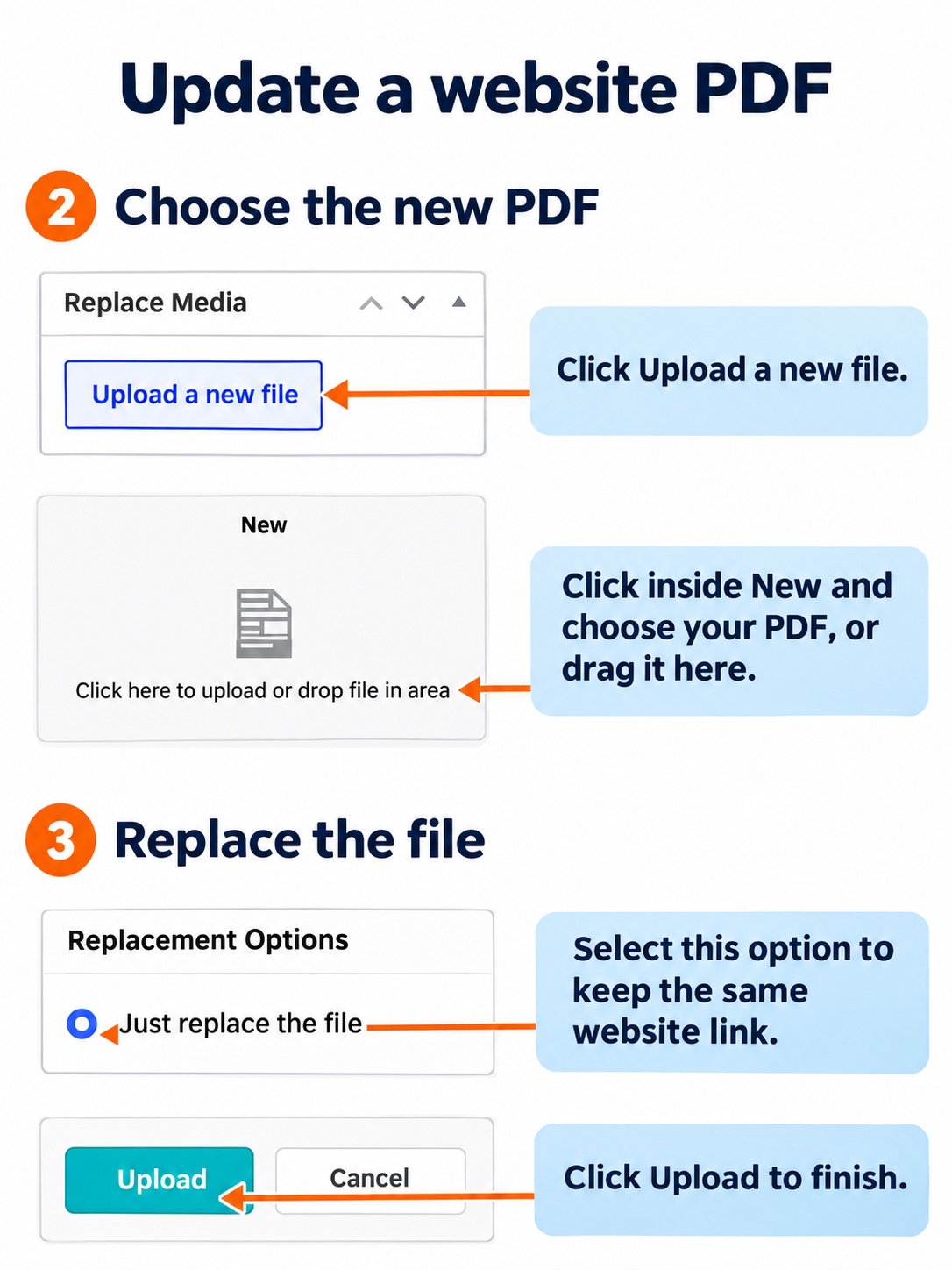
Click the image above to open in a new window or tab to reference while you are updating the PDF.